
I checked your account and noticed that your account is enabled with Data 360. Data 360 is our latest architecture and is the central arena for creating and managing events, visitor attributes, and metrics (tracking conditions) for gauging a spectrum of parameters in your website while running your campaigns. Here, we have replaced goals with metrics.
In order to create a revenue metric, you will first have to create a revenue event. Navigate to Data360 > Events > Create.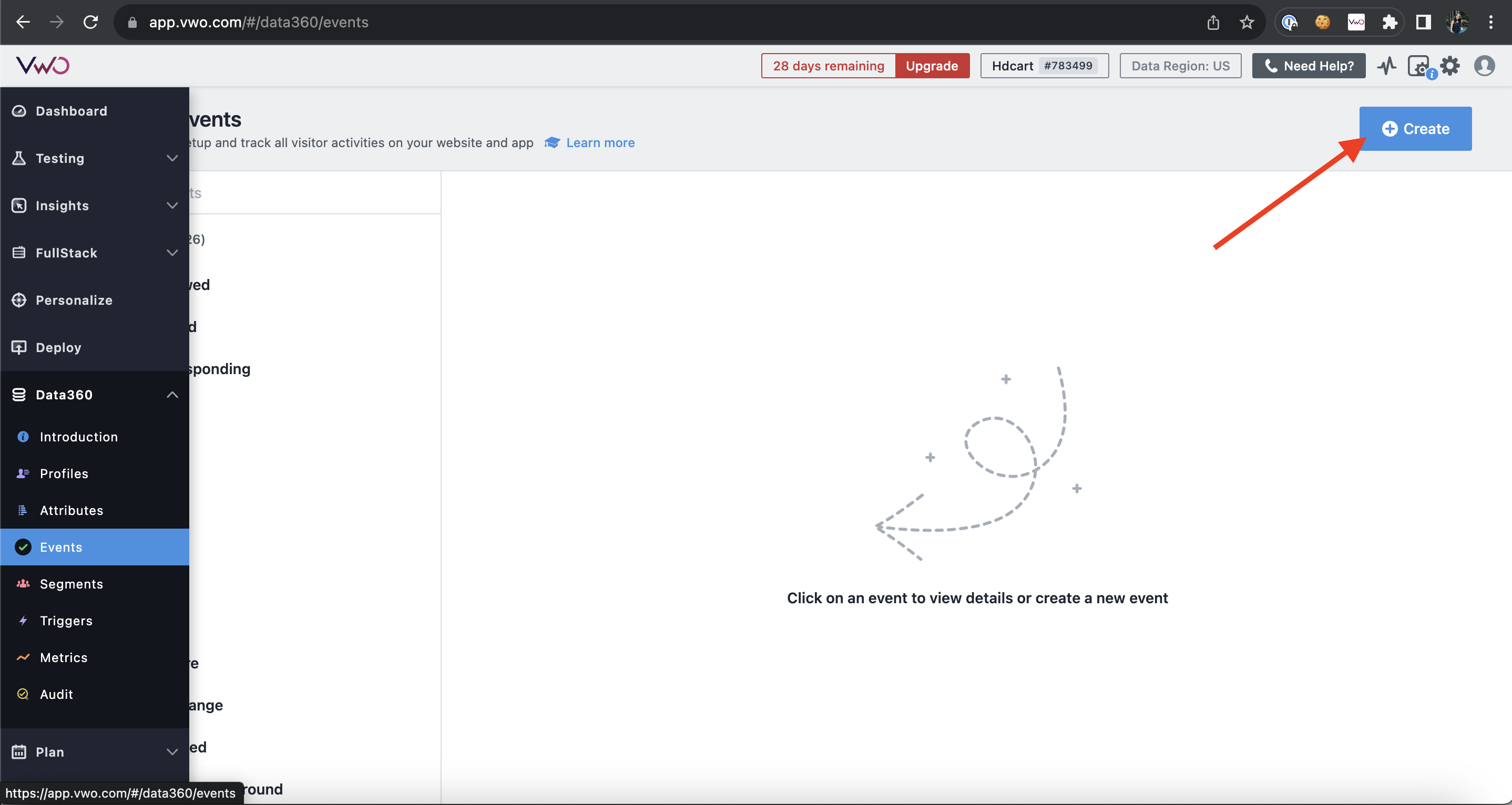
You can refer to the below screenshot to create an event
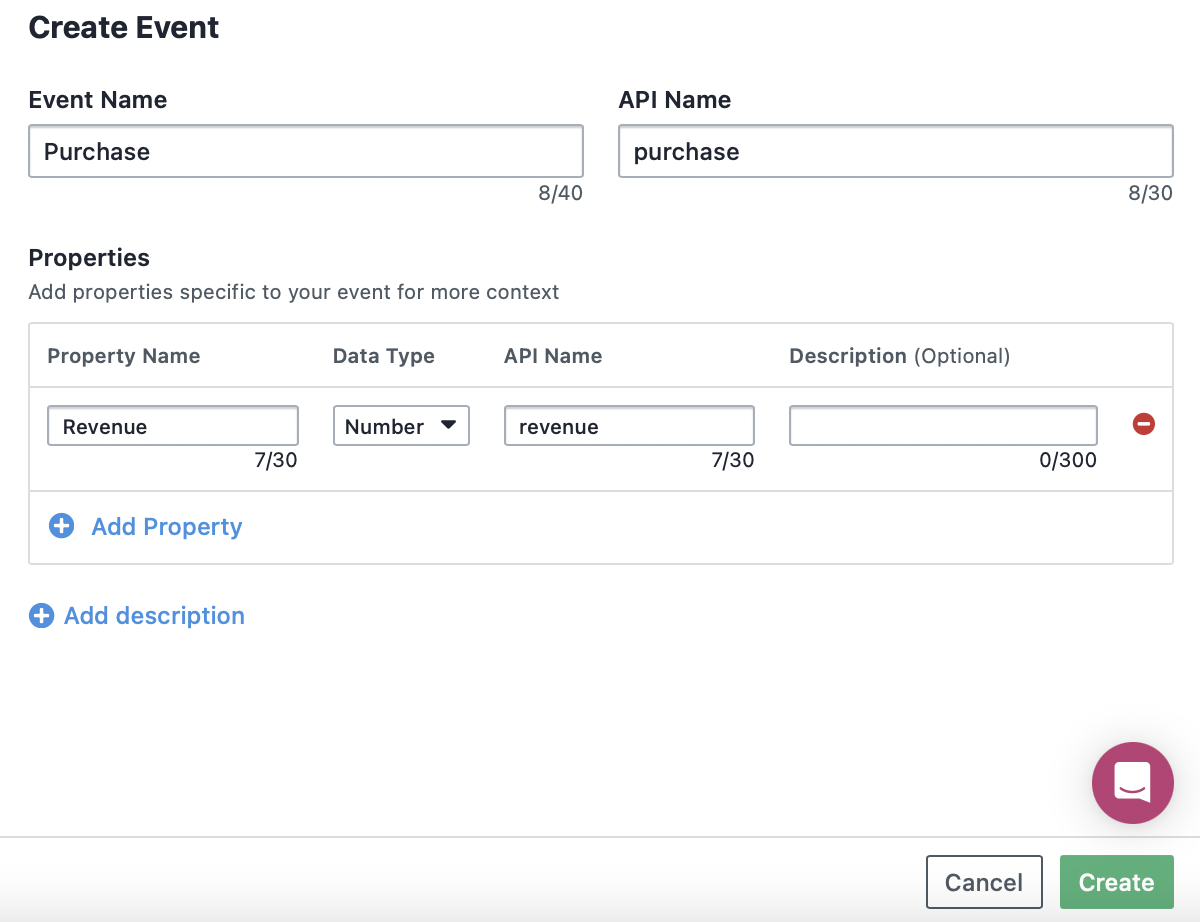
Once done, click Create. The purchase event is then created and listed under MYEVENTS. You now have to select the event and go to the API tab, where you can find the custom code for the event.
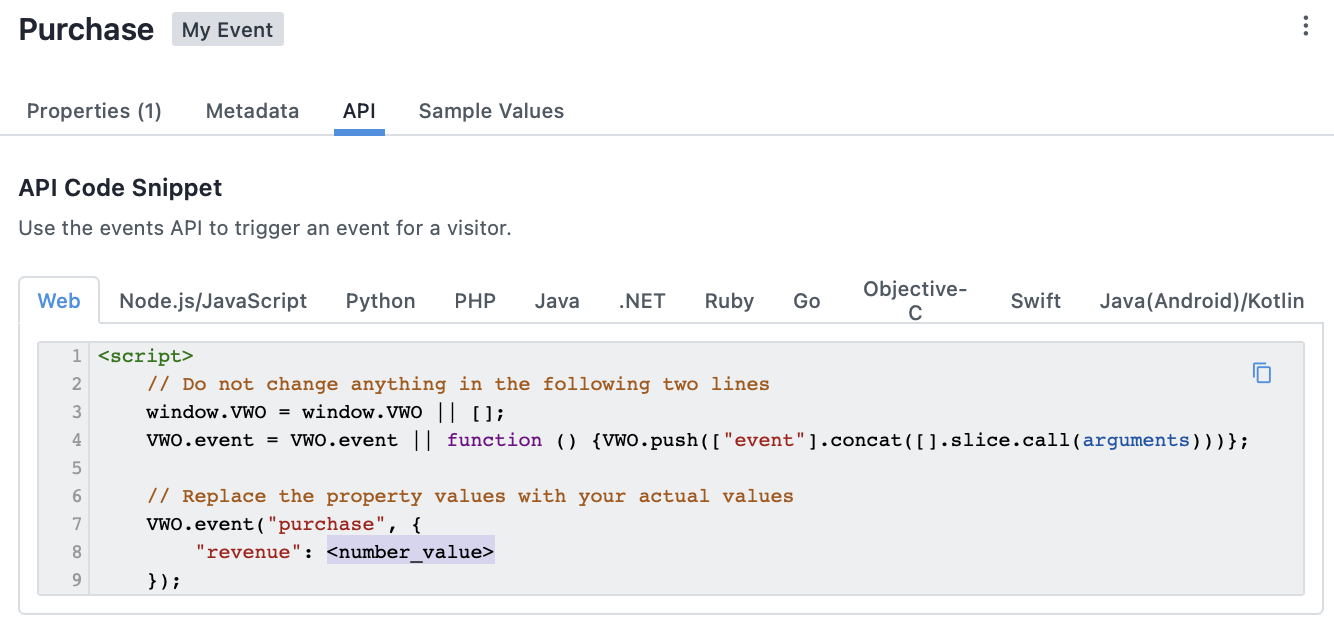
Copy the code and paste it into the source code of the page where you want to track the purchase event. In the code, the value of the event property is supplied with a placeholder string, usually <number_value>. Remember to replace this placeholder string with the revenue variable, failing which the revenue conversions will not be tracked.
Next up, create a metric to track the revenue conversions. For this, from the main menu, navigate to Data360 > Metrics > Create.
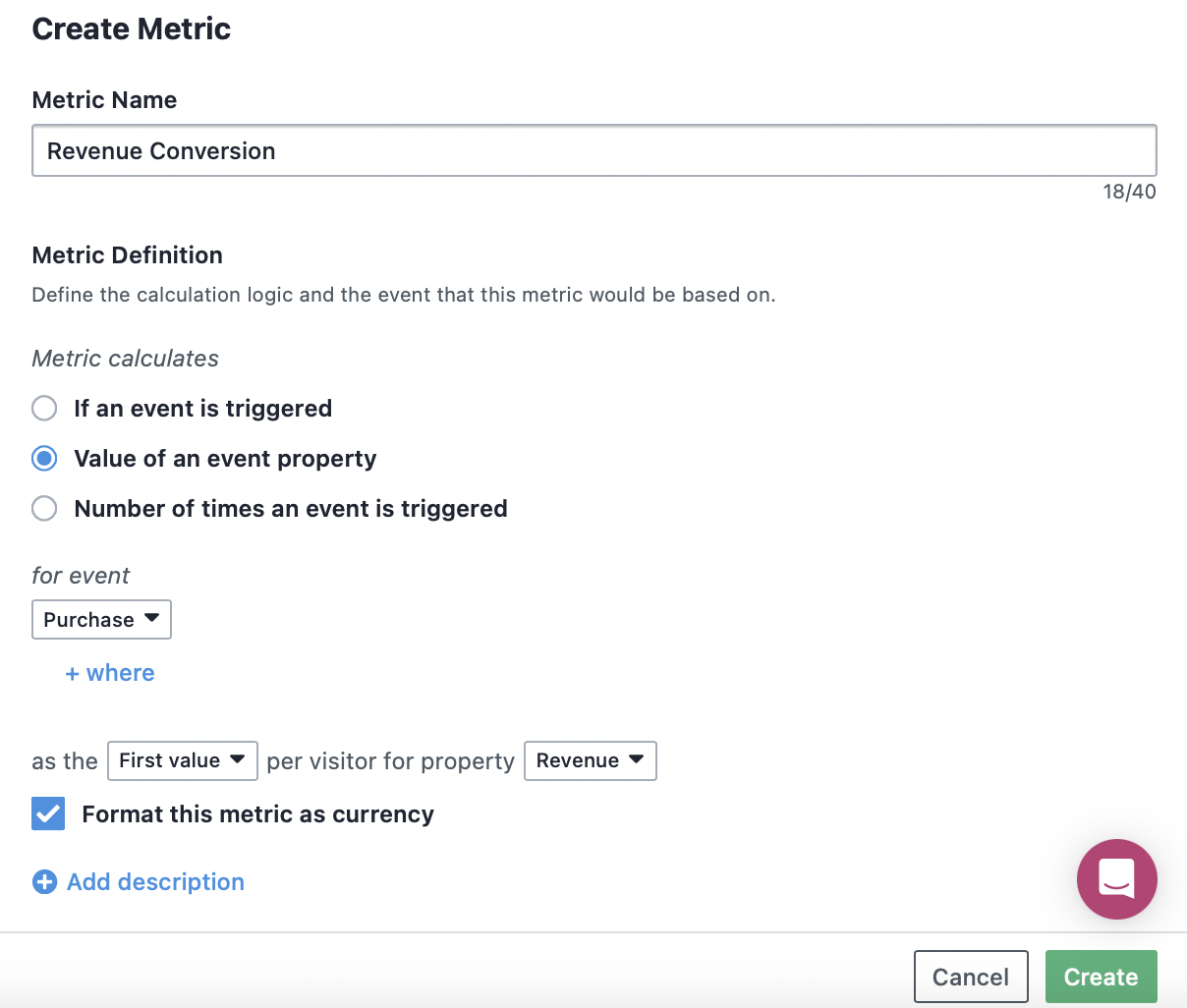
You can use this metric in your campaigns to track the revenue conversions of your visitors on the campaign pages.